
Apex Payroll AI
Ask payroll questions in plain English.
Get answers from your own ApexPay data — payroll runs, NIS and PAYE totals, payslips, TD4 exceptions, leave and more.
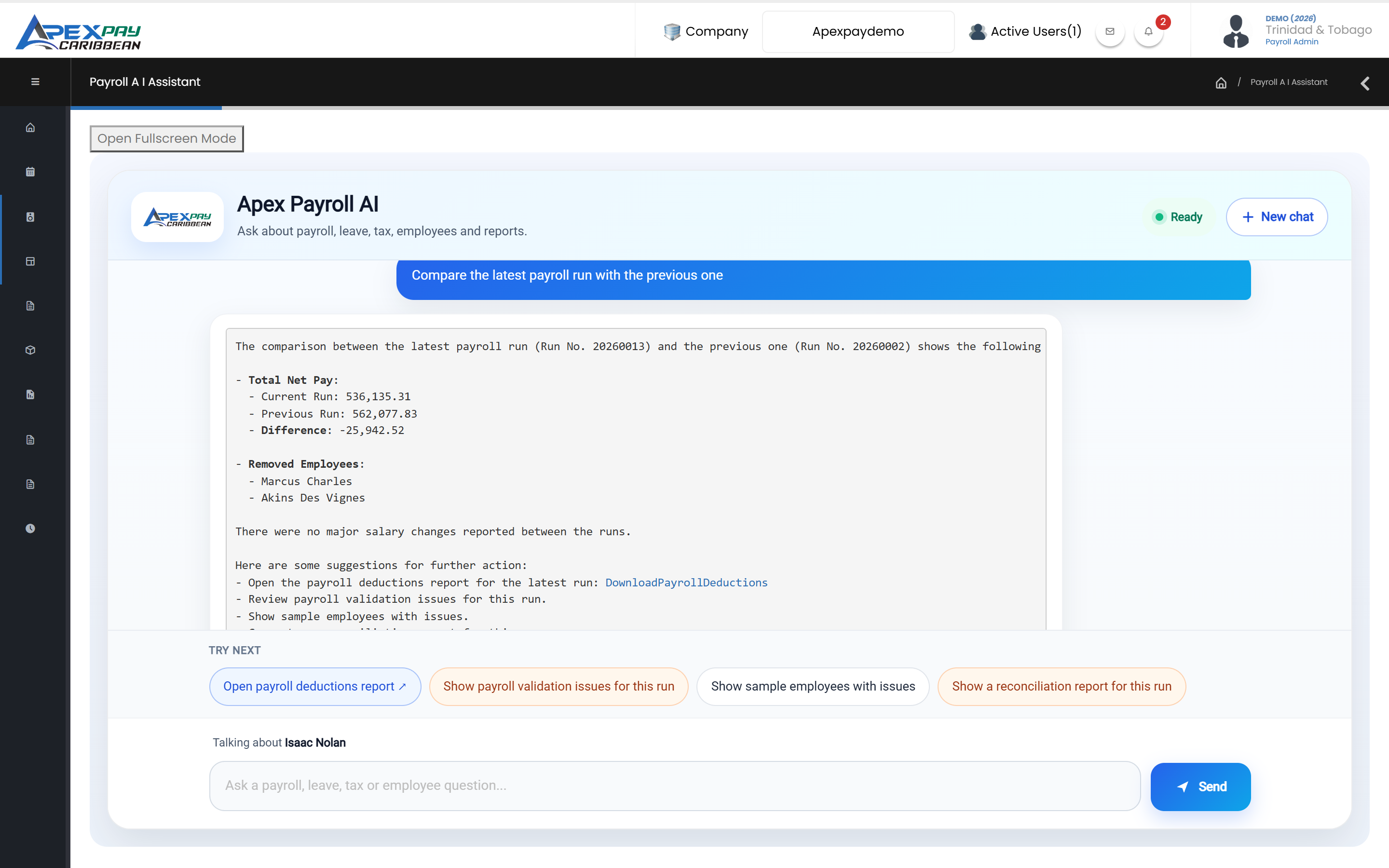
Ask things like…
Payroll runs
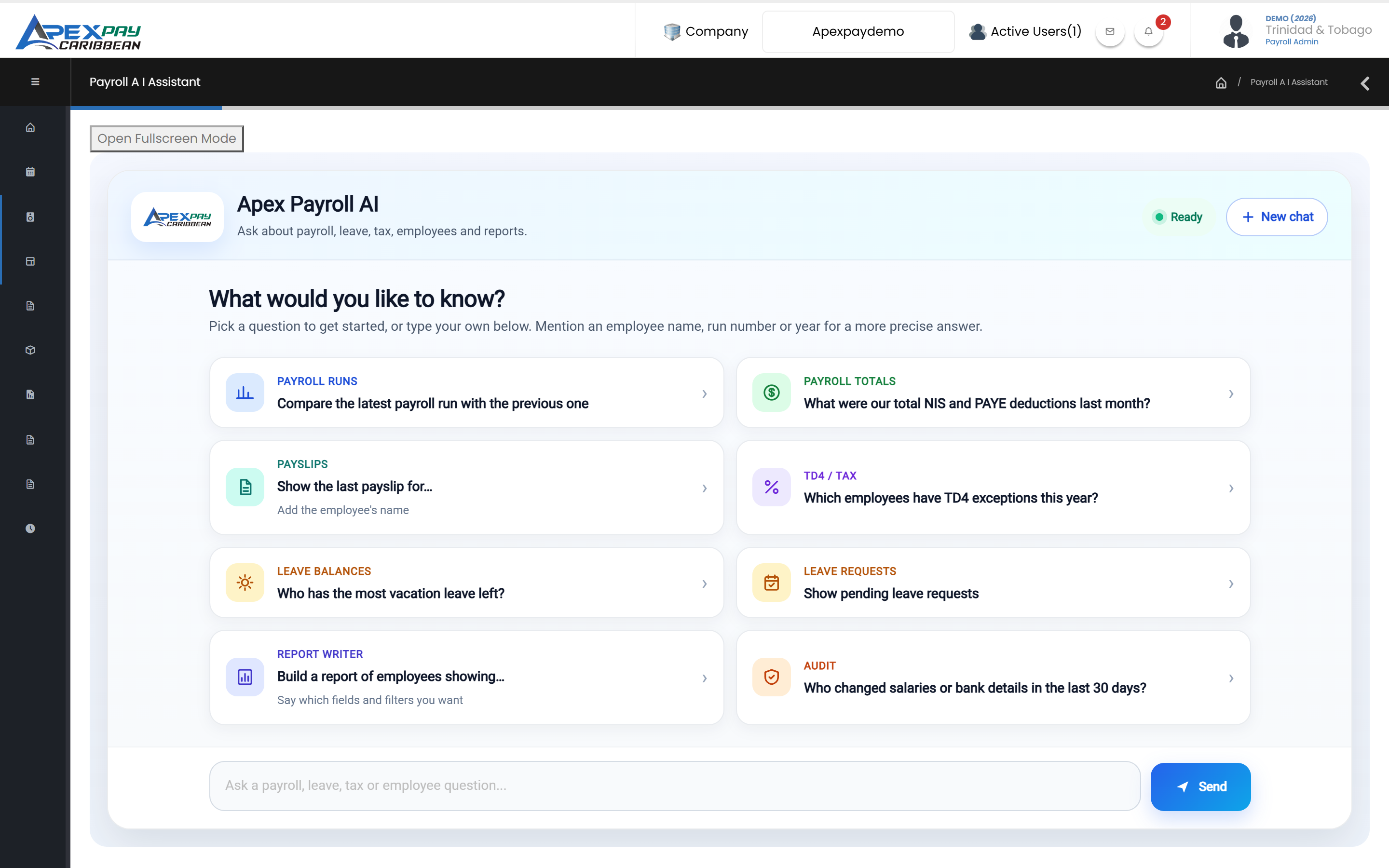
“Compare the latest payroll run with the previous one.”
“What's the status of our latest payroll run?”
“Which employees are not getting paid in the latest monthly run, and why?”
Totals
“What were our total NIS and PAYE deductions last month?”
“What was our total payroll cost by department last month?”
Payslips
“Explain this employee's last payslip.”
“Why did this employee's net pay change from the last run?”
TD4 / tax
“Which employees have TD4 exceptions this year?”
Calculators
“What is the net pay on a monthly gross of $12,000?”
Leave
“Who has the most vacation leave left?”
“Show pending leave requests.”
People
“Whose birthday is this month?”
“Whose contracts end in the next 30 days?”
Audit
“Who changed salaries or bank details in the last 30 days?”
Reports
“Build a report of employees in Sales with name, date hired and phone, and save it as Sales Staff.”
What you can ask
Questions answered from your company's own payroll data.
Payroll runs and totals
Run status, run-to-run comparisons and variances, employees left out of a run and why, top earners, and payroll totals by department, location, frequency or month.
Payslip and tax explanations
Plain-English explanations of payslips, PAYE, NIS and Health Surcharge deductions, why pay changed, and the causes of TD4 under- or overpayments.
Leave and people questions
Leave balances and rankings, who is on leave, pending requests, headcount, turnover, birthdays, work anniversaries, and contract, probation and ID expiry dates.
Who changed what
Recent changes to salaries, bank details, addresses and other fields, with before and after values.
Quick calculations
Gross-to-net, net-to-gross, PAYE, NIS, Health Surcharge and overtime calculations.
Links to the right report
Opens standard reports such as payslips, the bank file, NI184/NI187, PAYE/HSUR and TD4s for the run or period you ask about.
Reports on request
Build and re-run Report Writer reports by chat.
Build reports by chat
Describe the report you want; the assistant builds it in Report Writer, saves it and returns a link, and can re-run saved reports by name.
How it works
Built-in payroll functions, not guesswork.
Answers from built-in payroll functions
The assistant answers by calling ApexPay's own payroll functions against your company's data, rather than writing its own database queries.
Nothing changes without your confirmation
Actions that would change payroll data are blocked until you explicitly confirm.
Your company's data, handled with care
Each question is answered from the signed-in company's own ApexPay data. To write the answer, your question and the relevant results are processed by our AI provider, OpenAI.
Works together with
Reporting & Report Writer
Statutory and management reports ready to run, plus Report Writer to build, save and export your own payroll, attendance and employee reports.
Learn morePayroll
Calculate pay, PAYE, NIS and Health Surcharge, check every run before it is posted, and produce payslips, bank files and statutory forms.
Learn moreFrequently asked questions
How does the AI Assistant use our data?
The AI Assistant answers from your own company's ApexPay data only, and only for administrators who can sign in to your company. To write each answer, your question and the relevant results are processed by our AI provider, OpenAI. It never changes payroll data unless you explicitly confirm.
See ApexPay with your own payroll scenario.
Tell us about your company and we'll arrange a demo.