Time & Attendance · ApexTrak
Punches in. Payroll hours out.
Capture time by face-recognition kiosk, QR or PIN, phone GPS or ZKTeco biometric clocks. Your shift and overtime rules turn punches into payroll-ready hours.
Four ways to capture time
Employee phone app
Clock in and out from the ApexTrak Employee app, stamped with GPS location and address.
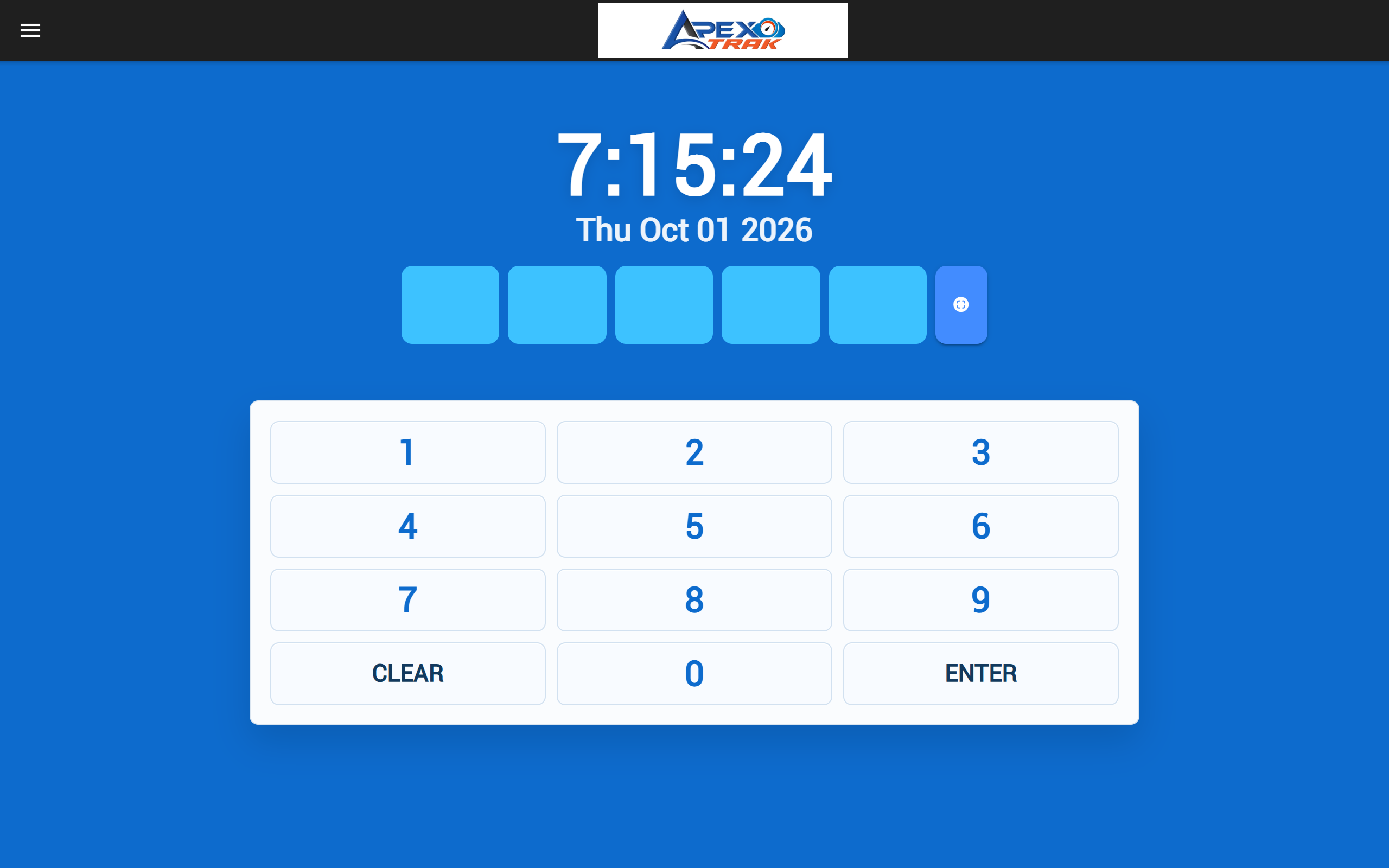
Face, QR or PIN kiosk
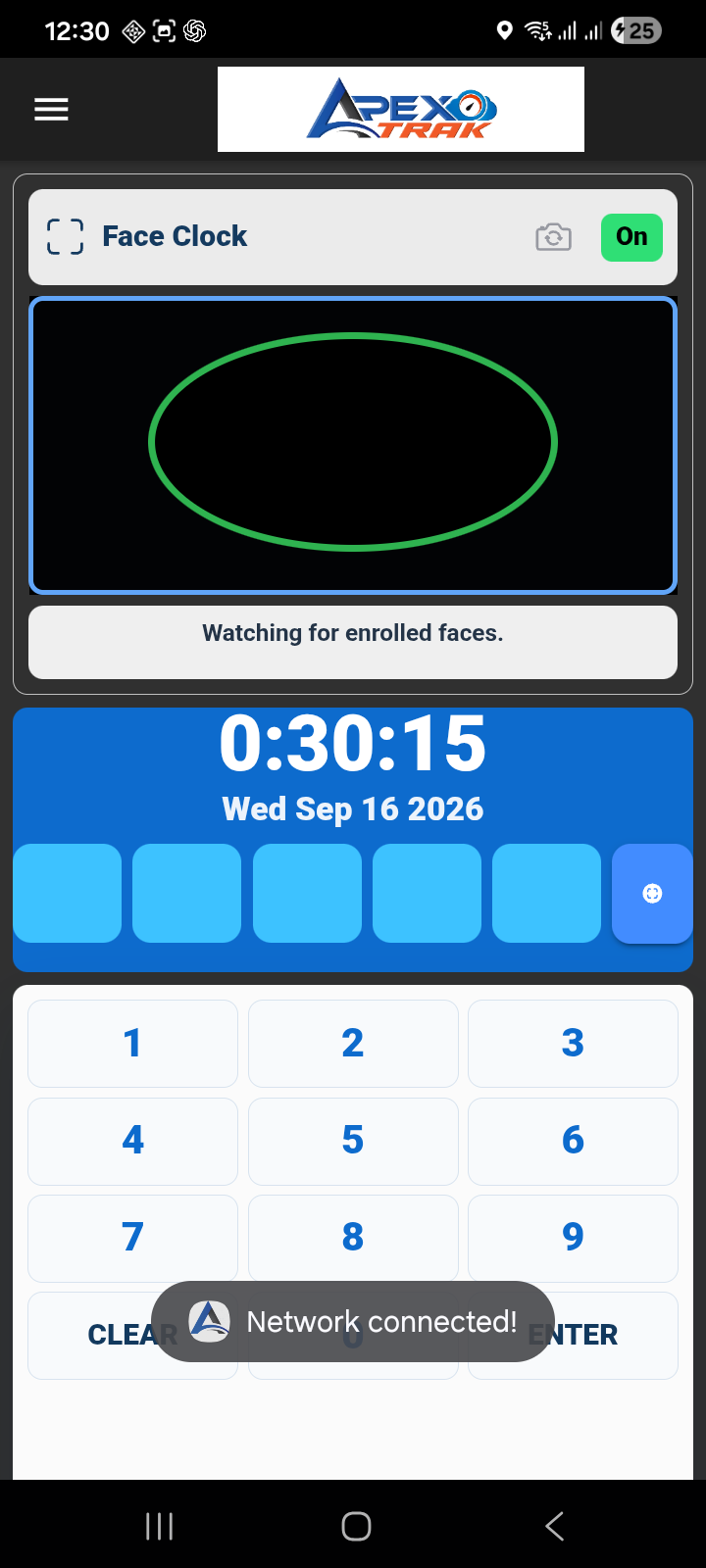
A shared tablet or phone running the ApexTrak kiosk app recognises enrolled faces, scans the employee's QR badge, or accepts a PIN.
Biometric terminals
ZKTeco-compatible terminals are read automatically by the ApexTrak Timeclock Scanner and uploaded to ApexPay.
Import and manual entry
Import device log files or Excel, or enter attendance in batches.
Capture time the way your teams work
Four ways to record time, all feeding one attendance record.
Several ways to clock in, one record
Phone app, face/QR/PIN kiosk, ZKTeco terminals and file import all feed the same attendance record and the same rules.
Phone clock-in with GPS
Employees check in and out on the ApexTrak Employee app; each punch records the GPS point and address.
Shared kiosk on a tablet or phone
A kiosk app with PIN keypad, QR badge scanning and face recognition, employee lookup and punch confirmation.
Face recognition on the device
Faces are enrolled on the kiosk and matched on the device, hands-free or with confirmation. A photo can be stored with each punch, and face templates sync through your cloud company database to your other registered kiosks.
ZKTeco biometric terminals
The ApexTrak Timeclock Scanner for Windows polls ZKTeco-compatible terminals on a schedule, keeps a local backup and uploads punches to ApexPay.
Device file import and batch entry
Import .dat, Excel or custom device log files, or enter batches of attendance records with default times.
Works offline
Kiosks and phones keep punches when the connection drops and upload them immediately, on an interval, or at set times.
Rules that calculate the hours
Shifts, rosters and overtime rules applied automatically.
Shift rules
Define shifts with enforced start and end, rounding, overtime delay, overnight shifts and paid or unpaid lunch breaks.
Rosters and the roster wizard
Build rosters for selected employees and periods with the roster wizard, view them on a roster calendar, and show employees their upcoming shifts in the app.
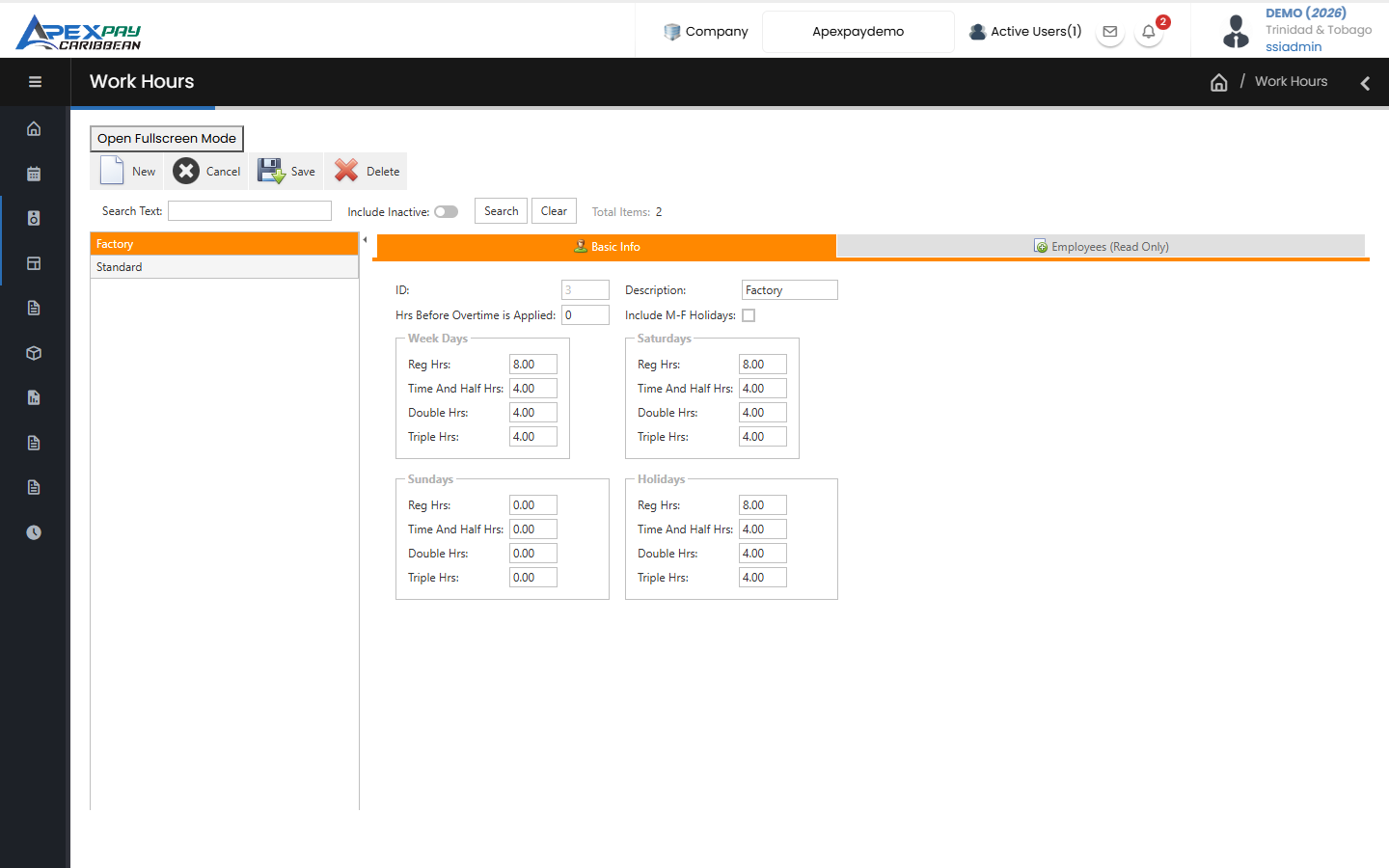
Overtime rules for weekdays, weekends and holidays
Set when overtime starts and how hours split into regular, time-and-a-half, double and triple time for weekdays, Saturdays, Sundays and public holidays.
Lateness, absence and overtime approval
Late minutes, absences and early departures are calculated for every record, overtime counts toward pay once approved, and manual corrections can be protected from recalculation.
See who's in, right now
Live attendance, locations and reports for managers.
Real-time check-in monitor
A live view of who is present, late, absent, on leave or on overtime, with an activity feed.
Location map and geofencing
See punch locations on a map, optionally track location during work hours in the employee app, and set geofences per shift or location so punches outside the area are blocked.
Attendance reports
Standard reports for attendance, lateness, attendance status, absenteeism, annual time summary, shifts and rosters, vacations and leave.
Straight into payroll
No re-keying of hours.
Hours flow into payroll
Each payroll run takes attendance hours for its own timeclock date range, already split by job, cost centre and overtime bucket.
Works together with
Payroll
Calculate pay, PAYE, NIS and Health Surcharge, check every run before it is posted, and produce payslips, bank files and statutory forms.
Learn moreSelf-Service & Mobile
Employees view payslips and TD4s, check leave balances and request time off, on the web portal or the ApexTrak app.
Learn moreFrequently asked questions
Which time clocks work with ApexPay?
You can use the ApexTrak kiosk app on a tablet or phone (face recognition, QR badge or PIN), the ApexTrak Employee app with GPS, or ZKTeco-compatible biometric terminals. You can also import device log files.
What happens if the internet goes down at a worksite?
The ApexTrak kiosk and Employee apps keep recording punches offline and upload them when the connection returns, immediately, on an interval or at times you set.
Which phones does the ApexTrak app run on?
The ApexTrak apps run on Android phones and tablets. We provide the download link, and the app checks for updates itself.
See ApexPay with your own payroll scenario.
Tell us about your company and we'll arrange a demo.