
Reporting & Report Writer
The reports you file, plus the ones you need.
Run standard statutory and management reports in a click, or build your own payroll, attendance and employee reports with Report Writer and export them to Excel, PDF or CSV.
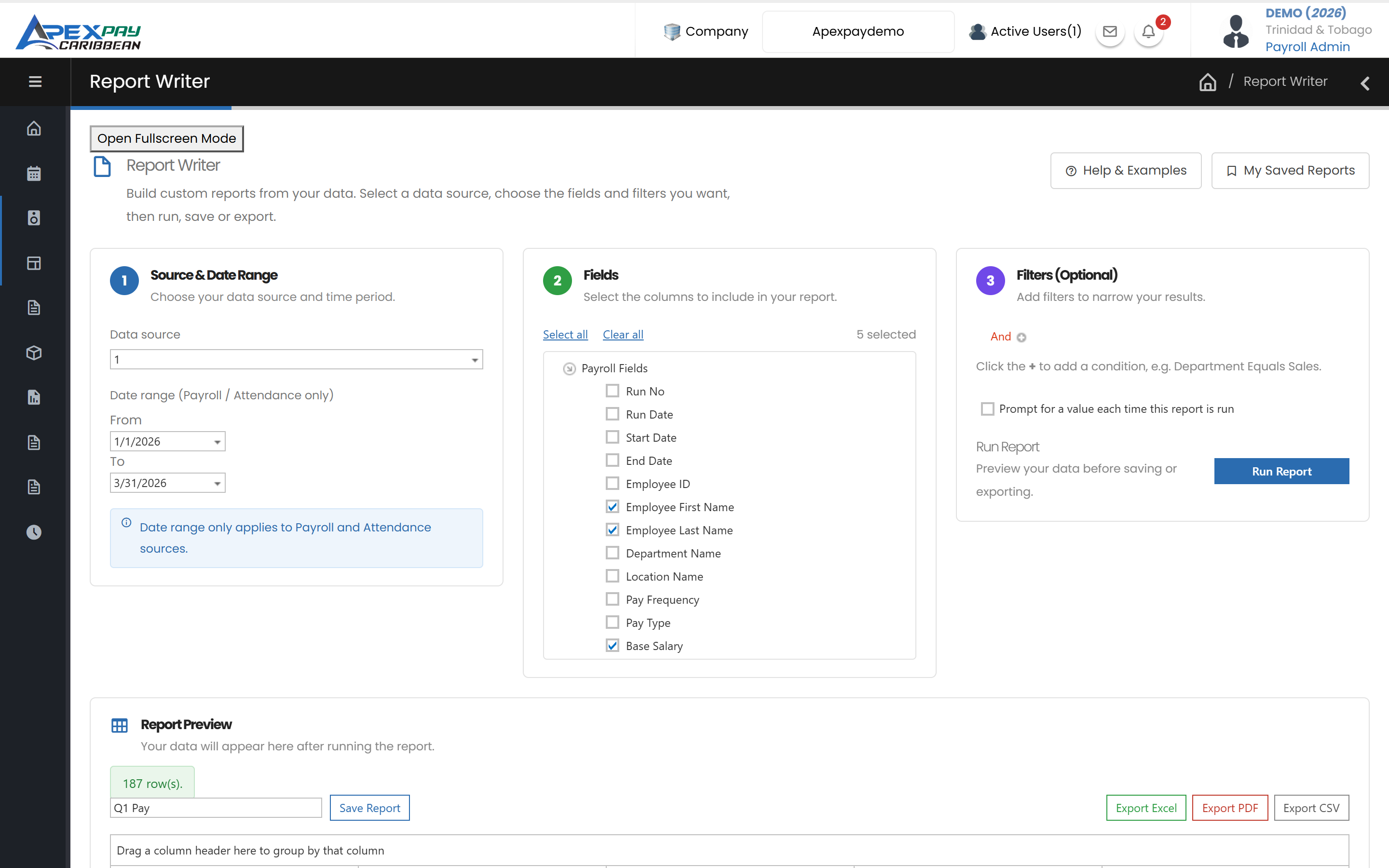
Standard reports, ready to run
Payroll reports
- Payroll Summary
- Payroll Details
- Payroll Breakdown by department/location
- Bank Details
- Net Pay Reconciliation
- Overtime
- Journal Report
- Payslips
Monthly statutory reports
- NI184 Form
- NI187 Form
- NIS Report / Summary
- PAYE/HSUR Report
- Monthly Variance
Yearly reports
- TD4 Forms
- Employee YTD Summary / Details
- Previous Year YTD Summary
- Employee Start Figures
Employee reports
- Employee Listing
- Employee Banks
- Employee Deductions
- Emergency Contacts
- Probations
- Job Letter
Attendance reports
- Employee Attendance
- Late Report
- Absence Report
- Leave Entitlement
- Shift Roster Schedule
Audit reports
- Employee Audit Log
- Payroll Audit Log
- Standard Audit Log
Standard reports, ready to run
Organised by purpose, with favourites.
Statutory and management report catalogue
Payroll, monthly statutory, yearly, employee, attendance and audit reports, with favourites for the ones you use most. Export to PDF, Excel or Word.
Dashboards
A customisable admin dashboard with payroll cost, variance and people widgets.
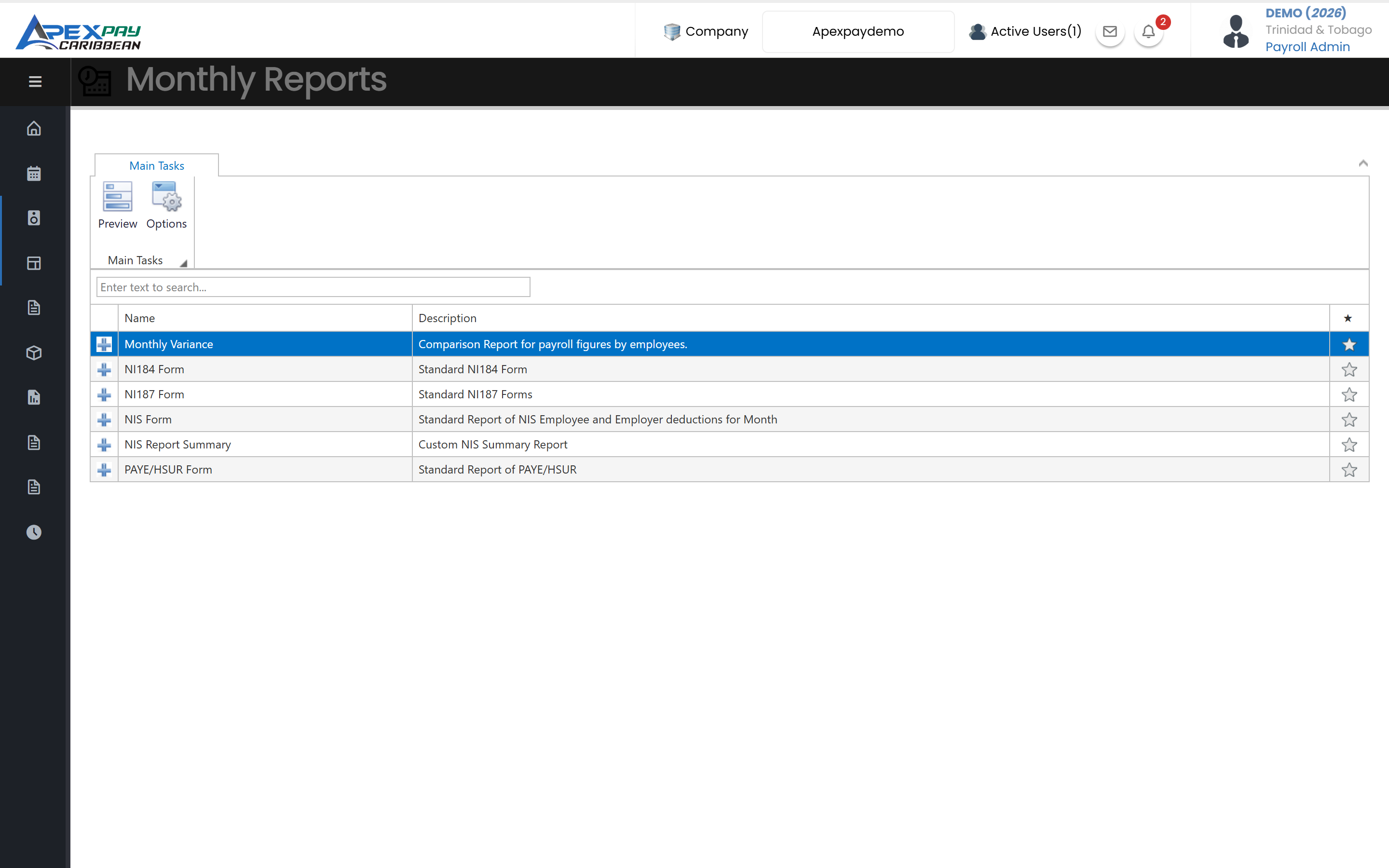
Report Writer
Your own reports in three steps.
Build a report in three steps
Choose a data source and date range, tick the fields you want, and optionally add filters — then run it.
Payroll, attendance and employee data
Report on payroll runs (earnings, deductions, NIS, PAYE, Health Surcharge, net), attendance records (hours by type, lateness, absences) and employee details, including years of service and net pay per hour.
Visual filters
Combine conditions with And/Or, for example a department and a date range, without writing queries.
Ask for a value each time
Save a report that asks for a value when it runs, such as which department.
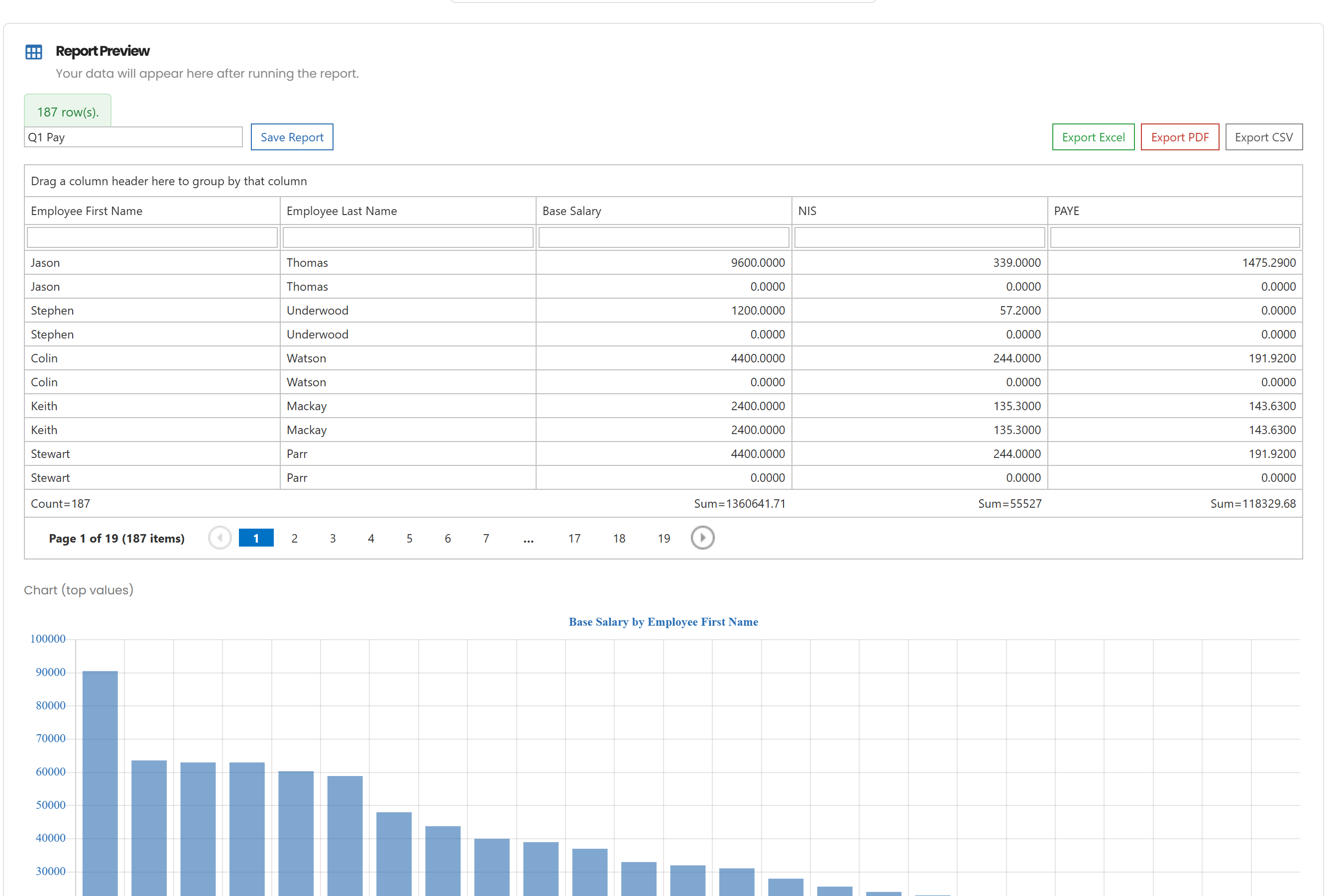
Totals, grouping and a quick chart
Results show automatic totals and counts; group and sort in the grid, and see a simple bar chart of the main figure.
Export to Excel, PDF or CSV
Export any Report Writer result to Excel, PDF or CSV.
Saved reports
Save reports by name and run them again next month from My Saved Reports.
Respects each user's data access
Results only include employees in the departments and locations the user is allowed to see.
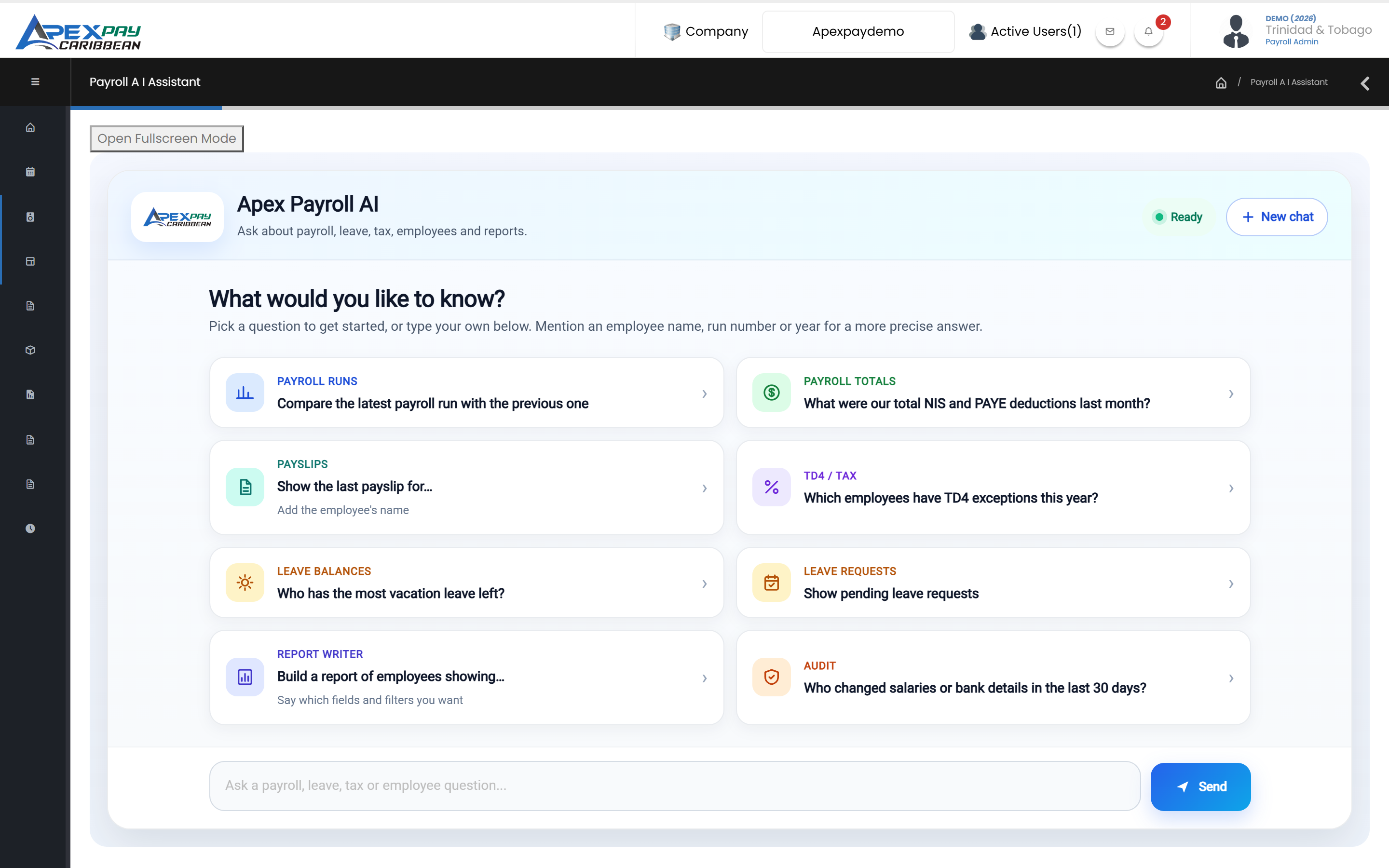
Or just ask
The AI Assistant can build and run Report Writer reports for you.
Build and run reports by chat
Ask the AI Assistant to build a report with the fields and filters you describe; it checks the fields, saves the report and gives you a link, and can re-run saved reports by name.
Frequently asked questions
Can we export payroll to QuickBooks or our accounting system?
Yes. ApexPay exports the payroll journal as a file for QuickBooks, Peachtree, SAP or Excel, using the GL accounts you map to each pay item, department and cost centre.
See ApexPay with your own payroll scenario.
Tell us about your company and we'll arrange a demo.